AV systems disappear into the background when everything works. The moment something glitches, they become the entire experience. A dropped signal during a pitch, a microphone cutting out mid-sentence, a display that won’t sync – more than mere technical issues to your audience, they’re credibility killers.
Most failures build quietly: dust settles into racks, firmware lags behind, cables loosen just enough to cause intermittent issues. Left alone, small problems stack until the system breaks at the worst possible time.
The difference between smooth, dependable performance and recurring disruption usually comes down to one thing: audio visual maintenance.
Here, we’re going to talk about what audiovisual maintenance involves, why it directly impacts cost and uptime, and how modern AV teams keep systems running without constant on-site intervention.
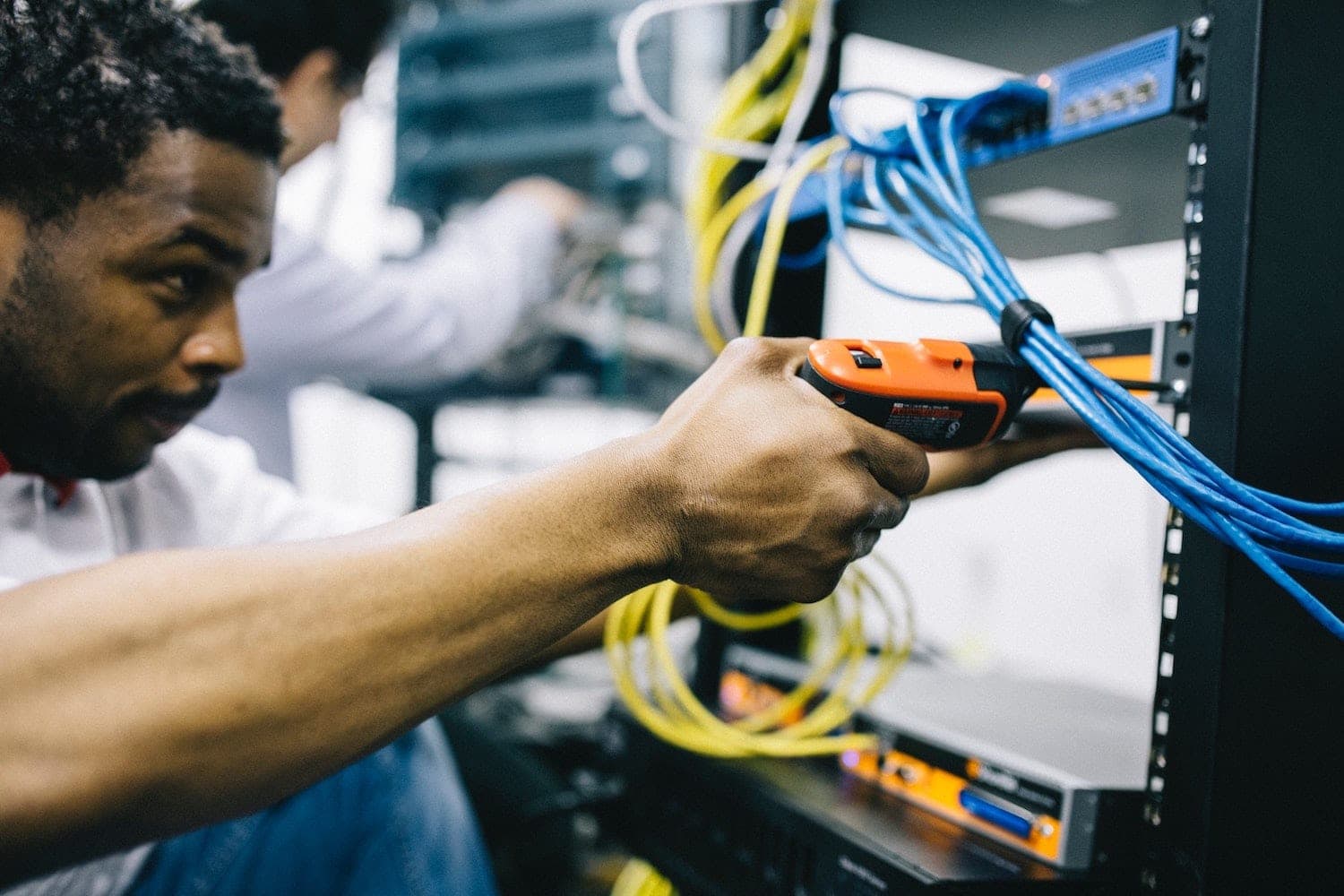
AV Preventive Maintenance Keeps Systems Reliable, Performant, and Cost-Efficient
Audio-visual maintenance is the ongoing inspection, testing, and optimization of AV systems to prevent failures, extend the lifespan, and maintain consistent, optimal performance.
What AV systems maintenance includes
Maintenance of audio visual equipment covers far more than a quick check of screens and speakers. It’s a structured process that looks at how every component interacts within the system.
A proper maintenance routine includes:
- Functional testing of control systems and interfaces
- Inspection of signal paths across audio and video chains
- Verification of network stability for AV-over-IP systems
- Firmware and software updates across all devices
- Physical inspection of cables, connectors, and rack components
Each step targets a different failure point. Taken together, they create a system that behaves predictably instead of reactively.
Why AV systems fail without maintenance
AV systems fail gradually long before they fail completely. The warning signs are often subtle and easy to ignore until they escalate.
Heat buildup inside racks can shorten component lifespan. Dust clogs ventilation paths and interferes with cooling. Firmware mismatches introduce compatibility issues between devices that once worked seamlessly. Even something as simple as a slightly loose HDMI connection can create intermittent signal loss that’s difficult to trace.
Neglect turns these minor issues into recurring disruptions. What could have been fixed during a routine check becomes a last-minute scramble before a critical meeting or event.
Difference between reactive support and preventative maintenance
Reactive support addresses problems after they happen. Preventative maintenance reduces the chance of those problems happening at all.
A reactive approach often looks like this: a system fails, a ticket is submitted, an AV technician is dispatched, and operations pause until the issue is resolved. The cost includes not just the repair, but the downtime and disruption.
Proactive maintenance operates on a different rhythm. Systems are inspected on a schedule, known risks are addressed early, and performance is continuously tuned. Instead of waiting for failure, the system is kept in a state where failure is far less likely.
How Preventative AV Maintenance Reduces Downtime and Protects Your Investment
Preventative audio-video maintenance lowers total cost of ownership by identifying issues early, maintaining system integrity, and avoiding expensive disruptions.
How small issues turn into major system failures
Most AV failures follow a predictable pattern. It starts with a minor inconsistency – a brief audio dropout, a display flicker, a delay in control response.
That small inconsistency traces back to something simple: a degrading cable, a firmware mismatch, or a device running outside optimal conditions. Left unresolved, the issue becomes more frequent. Eventually, it surfaces at the exact moment the system is under pressure.
A loose connection during a daily internal meeting is inconvenient. The same issue during a live client presentation or public event carries a very different cost.
Cost comparison: preventative maintenance vs emergency repairs
| Factor | Preventative Maintenance | Reactive Repairs |
| Cost predictability | Planned and consistent | Unpredictable and often higher |
| Downtime | Minimal and controlled | Potentially severe and disruptive |
| Equipment lifespan | Extended through upkeep | Shortened due to neglect |
| User experience | Stable and reliable | Inconsistent and frustrating |
| Response time | Immediate through monitoring | Delayed until failure occurs |
The table tells a simple story. Maintenance shifts spending from unpredictable spikes to controlled, planned investment. It also reduces the hidden costs tied to downtime: lost productivity, disrupted operations, and strained client interactions.
Impact on business operations and user experience
AV systems shape how people experience a space. In conference rooms, they influence how clearly ideas are communicated. In hospitality environments, they affect ambiance and guest satisfaction. In control rooms, they support real-time decision-making.
When systems perform consistently, they disappear into the background and let the experience take center stage. When they don’t, they’re the distraction everyone remembers.
Preventive maintenance protects that experience. It ensures that audio is clear, visuals are sharp, controls respond exactly when needed, etc. Over time, that consistency builds trust in the environment and the organization behind it.
What Happens During a Professional AV Maintenance Visit
A professional AV maintenance visit follows a structured process that evaluates system performance, identifies risks, and makes sure all components operate as intended.
System control and interface checks
Control systems act as the command center of any AV setup. If the interface lags or fails to respond, the entire system feels unreliable.
Technicians test touch panels, control processors, and user interfaces to confirm responsiveness and accuracy. Button presses, automation triggers, and programmed scenes are verified to ensure they execute without delay or error.
Signal path and connectivity inspection
Every AV system relies on a clean, uninterrupted signal path. Even minor disruptions can degrade performance.
Inspection focuses on:
- Cable integrity, including wear, fraying, or loose terminations
- Switchers and matrix systems handling signal routing
- Input and output connections across all devices
The goal is simple: make sure that signals travel from source to display or speaker without loss, distortion, or interruption.
Audio and video performance testing
Performance testing goes beyond confirming that devices turn on. It evaluates how well they deliver output under real conditions.
Audio systems are checked for clarity, balance, and absence of distortion. Microphones are tested across different positions to ensure consistent pickup. Video systems are reviewed for resolution accuracy, color consistency, and synchronization.
These checks help maintain the quality users expect every time the system is used.
Firmware updates and system optimization
Outdated firmware is one of the most common sources of AV instability. Updates often include bug fixes, security improvements, and compatibility enhancements.
Each device is reviewed to confirm it runs on the correct firmware version. Updates are applied carefully to avoid conflicts, and configurations are adjusted if needed to maintain system harmony.
Rack cleaning and environmental checks
AV racks often sit out of sight, which makes them easy to overlook. Over time, dust and debris accumulate and interfere with cooling.
Technicians clean racks, check airflow, and verify that cooling systems function properly. Temperature management plays a direct role in equipment longevity, especially for high-performance components.
Documentation and system reporting
Every maintenance visit should leave a paper trail that informs future decisions.
Technicians document:
- Issues identified and resolved
- Components showing signs of wear
- Recommendations for upgrades or replacements
These records help track system health over time and allow businesses to plan improvements instead of reacting to failures.
Remote AV Monitoring Allows Faster Response and Scalable Support
Remote AV monitoring enables real-time visibility into system health, allowing issues to be identified and resolved before they disrupt operations.
How remote AV management works
Modern AV systems no longer rely solely on periodic site visits. Devices are connected to centralized platforms that continuously track status, performance, and faults.
Each component reports back data points such as:
- Power status and uptime
- Signal presence and routing behavior
- Device temperature and internal warnings
- Network connectivity and bandwidth usage
This data feeds into a dashboard that audiovisual technicians can monitor without stepping foot on-site. When something drifts out of normal range, it gets flagged immediately. The result is a system that speaks up before it breaks.
Benefits of platforms like Crestron XiO Cloud
Platforms like Crestron XiO Cloud bring all connected AV devices into a single control layer, making large deployments manageable without increasing overhead.
Teams gain the ability to:
- Push firmware updates across multiple devices at once
- Monitor system health across different locations
- Diagnose issues remotely without waiting for user reports
- Standardize configurations across rooms or buildings
It tightens response time and reduces the number of on-site visits needed for routine fixes. That efficiency becomes more noticeable as systems scale.
When on-site service is still necessary
Remote tools handle a large portion of maintenance, but they don’t replace physical inspection entirely.
Hardware failures, damaged cabling, and environmental issues still require hands-on work. A failing power supply or a compromised connector won’t fix itself through software.
Strong AV maintenance programs balance both. Remote monitoring handles visibility and quick fixes. On-site visits handle the physical realities that software can’t reach.
Key AV Components That Require Regular Maintenance
Every audio-visual system has specific components that are more prone to wear, failure, or performance drift over time.
Displays, projectors, and LED walls
Visual output devices carry a heavy workload, particularly in high-use environments.
Projectors lose brightness as lamps age. LED walls can develop uneven color output. Displays may suffer from burn-in or calibration drift.
Routine maintenance keeps visuals consistent and guarantees that what’s shown on screen looks the way it was intended.
Audio systems and microphones
Audio issues are often noticed faster than visual ones. A slight distortion or feedback loop can disrupt communication immediately.
Microphones are tested for clarity and range. Speakers are checked for balance and output consistency. Signal processors are reviewed for audio to remain clean and synchronized.
A well-maintained audio system sounds effortless. That’s usually the point.
Control systems and touch panels
Control interfaces are where users interact with the system. Any delay or inconsistency here creates friction.
Touch panels are checked for responsiveness and accuracy. Control processors are reviewed for stability and correct execution of programmed actions.
When control systems behave predictably, users don’t hesitate. When they don’t, confidence drops fast.
Network and streaming infrastructure
Many AV systems now rely on network-based distribution. That adds flexibility, but also introduces new variables.
Bandwidth limitations, packet loss, and misconfigured switches can all affect performance. Maintenance is how the network supports the demands placed on it.
Stable network performance keeps audio and video flowing without interruption.
Cables, connectors, and switching hardware
Physical connections remain one of the most common points of failure.
Cables degrade over time. Connectors loosen. Switchers and routers can introduce signal issues if not properly maintained.
These components rarely fail dramatically. They fail inconsistently, which makes them even harder to diagnose without regular inspection.
How Often Maintaining AV Hardware Should Be Performed
AV equipment maintenance frequency depends on system usage, environment, and the critical nature of the application.
Recommended maintenance schedules by environment
Different environments demand different levels of attention.
Corporate offices may function well with quarterly checks. Hospitality venues with daily use typically require more frequent inspections. Mission-critical environments like control rooms or broadcast facilities operate on tighter schedules, sometimes monthly or even continuous monitoring.
The more a system is used, the less room there is for drift.
High-usage vs low-usage system requirements
Usage patterns shape maintenance needs more than system size.
A small conference room used occasionally may only need periodic checks. A large training space running daily sessions puts constant strain on equipment and requires more frequent oversight.
Heavy usage accelerates wear. Maintenance schedules should reflect that reality as opposed to following a fixed template.
Signs your AV system needs immediate attention
Certain issues signal that maintenance can’t wait.
- Audio cutting in and out during normal use
- Displays flickering or losing signal intermittently
- Delays between control input and system response
- Devices disconnecting from the network without clear cause
These are early warnings. Acting on them quickly prevents larger disruptions later.
Choosing the Right AV Maintenance Partner Matters
The effectiveness of your AV system depends heavily on the expertise behind its maintenance.
What to look for in an AV service provider
A strong AV partner brings not just technical knowledge but consistency, accountability, and a clear service structure.
Look for:
- Proven experience with systems similar to yours
- Clear maintenance protocols and reporting practices
- Access to remote monitoring tools
- Defined response times and escalation paths
Competence shows in how issues are handled before they escalate.
The value of ongoing service agreements
Service agreements turn maintenance into a predictable process instead of a reactive scramble.
They establish scheduled inspections, priority response for issues, ongoing system optimization, and so on.
This structure removes uncertainty and keeps systems in a steady state of performance.
How expert support scales with your AV systems
AV technology systems rarely stay static. Businesses expand, rooms get upgraded, and new innovations are introduced.
An experienced AV integrator scales alongside those changes. They maintain consistency across new and existing systems, preventing fragmentation and mismatched performance.
Best Practices for AV Maintenance Checklist

AV That Never Misses a Beat Starts Here.
Reliable AV performance comes from consistent maintenance, informed oversight, and the right support structure behind it.
Crunchy Tech helps businesses stay ahead of issues instead of reacting to them. Our Orlando, FL-headquartered team monitors system health, handles preventative maintenance, and steps in quickly when something needs attention. The goal stays simple: keep your AV systems running smoothly every time it’s used.
If your systems have started to drift or you want to lock in long-term performance, now is the time to act. Reach out to Crunchy Tech for a commercial AV consultation and get a maintenance plan built around how your systems actually operate.