Commercial sound systems for corporate offices are the backbone of effective hybrid communication. They ensure everyone, whether in CONthe room, across the floor, or working remotely, can hear, contribute, and collaborate without disruption.
But most offices don’t think about audio until something goes wrong. And when it does, it’s rarely subtle. People start talking over each other, someone on the call says they can’t hear anything, and the whole meeting slows to a crawl.
In this article, Crunchy Tech breaks down how commercial sound systems work across conference rooms and office spaces, as well as why they’ve become harder to get right in a hybrid setup.
The Shift: Why Office Audio Suddenly Matters More
The role of the office didn’t disappear when hybrid work took over. It only narrowed. Fewer people show up day-to-day, but the reasons they come in tend to matter more – presentations, planning sessions, client meetings. Less routine work, more communication-heavy moments.
Audio ends up carrying more weight in those situations than most teams expect.
Hybrid meetings don’t tolerate bad audio
In a fully in-person meeting, people can work around small issues. Someone speaks up. Someone repeats a point. There’s a natural buffer. That buffer doesn’t exist when half the group is remote.
If the microphone misses a sentence, that sentence is gone. If two people speak at once, the system has to decide what gets through. When it guesses wrong, the conversation breaks. You’ll usually hear it immediately – someone on Zoom saying, “Sorry, can you repeat that?” more than once.
It doesn’t take much for people on the call to check out after that.
The office is being used differently even if it looks the same
Walk through a typical office now and it might not look that different. Same rooms, same layout. What’s happening inside those rooms is where things shift.
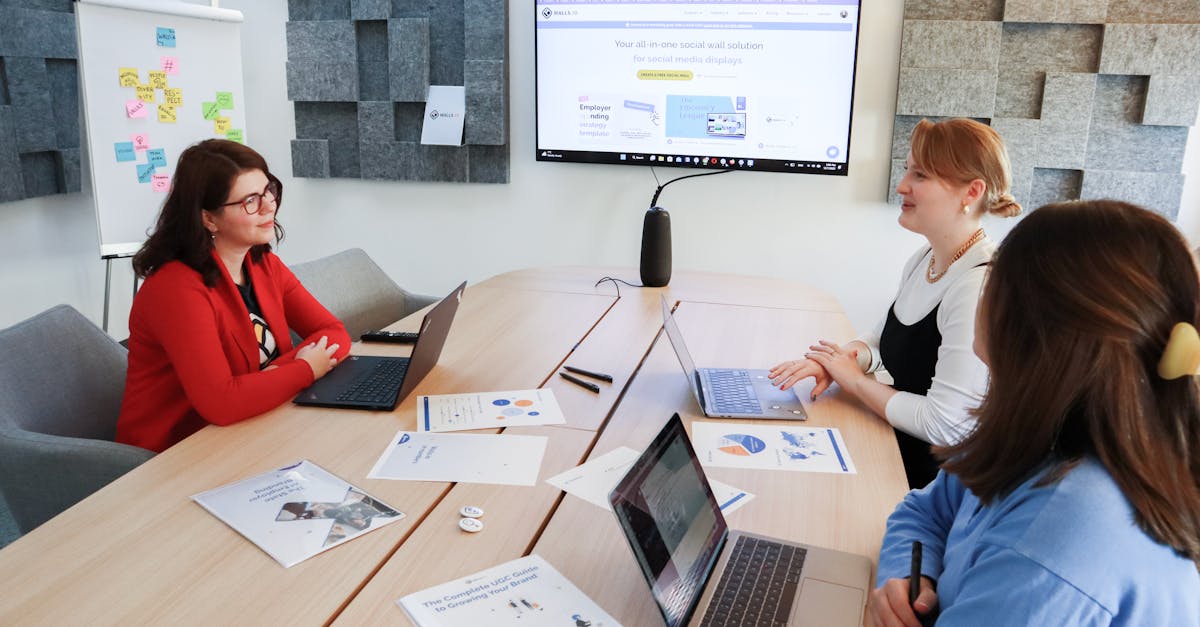
A conference room is effectively hosting a second room – everyone dialing in through Microsoft Teams or Google Meet.
That second room has zero tolerance for muffled voices, uneven volume, or side conversations. Everything has to come through clean or it doesn’t come through at all.
Audio problems drag everything down
Video issues are obvious. Audio issues are more subtle, but they tend to stretch across the entire meeting.
You’ll see it play out like this:
- discussions take longer than they should
- people hesitate before speaking, unsure if they’ll be heard
- someone ends up repeating key points at the end “just to make sure”
Individually, none of that seems like a big deal. Over time, it adds up: meetings run long, decisions stall, people start avoiding hybrid setups when they can, and so on.
It’s all about clearer communication
A lot of teams try to fix audio issues by turning things up. That rarely solves the real problem.
Clarity is the issue, not volume. That is, where the microphones pick up from, how the system handles multiple voices, ad how it deals with the room itself – echo, reflections, background noise.
Those are design problems not volume problems.
What Commercial Sound System Means in an Office Setting
When someone says “we already have audio in that room,” it usually means there are speakers installed somewhere and a USB device plugged into a laptop. That’s not really a system. A commercial setup is designed to behave consistently, no matter who’s using the room or how the meeting is run.
It’s not a collection of gear
The difference shows up in how everything is tied together.
Microphones, more than capturing sound, are placed with a specific pickup pattern in mind. Speakers are positioned so the entire room hears the same thing at roughly the same level.
Then there’s processing in between, which most people never see but always feel when it’s missing.
Without that layer coordinating everything, you get the usual problems: one person sounds too far away, another is overpowering the room, and remote participants are stuck trying to piece together half a conversation.
The part nobody sees is doing most of the work
The invisible part of the system – DSP, or digital signal processing – is where things either come together or fall apart.
It’s handling things such as:
- keeping the room’s speakers from feeding back into the microphones
- reducing constant background noise that people stop noticing in person
- balancing voices so one person doesn’t dominate the call
When it’s tuned properly, you don’t think about it. When it’s off, people start blaming the platform, the room, or their own connection.
Why plug-and-play setups hit a ceiling fast
A lot of offices start with simple, all-in-one devices. They’re easy to install, they work out of the box, and for very small rooms, they can be enough.
The problems show up as soon as the room or the meeting style changes.
People spread out. Someone sits farther from the device. Another person joins late and starts speaking from the side of the room. Suddenly, the system that worked perfectly fine in a controlled setup starts missing things.
There’s no real way to adjust for that because those systems are built to be used as-is.
Consistency across rooms matters more than one ‘perfect’ setup
One well-designed conference room doesn’t fix a floor full of inconsistent ones.
People move between rooms all day. If each space behaves differently – different mic behavior, different volume levels, different ways to start a call – it creates friction that has nothing to do with the meeting itself.
A good commercial system aims for something less flashy but more useful: predictability.
Walk into any room, start a meeting, and it behaves the way you expect.
Conference Rooms: Where Audio Gets Exposed the Fastest
Conference rooms are where problems show up immediately. There’s no hiding in a hybrid meeting – if the system isn’t doing its job, everyone notices within the first few minutes.
Most issues start with how voices are captured
It usually comes back to microphones.
Not the brand, not the price – the way they’re used.
A microphone that’s too far from the speaker forces the system to work harder to pick up sound. That often brings in everything else with it – air conditioning, chair movement, side conversations.
Move too close in the other direction and you get uneven pickup. One person sounds clear, another fades in and out depending on where they’re sitting.
Ceiling microphones solve some of this, especially in rooms where people move around. Table microphones can work well too, but they depend heavily on consistent seating. Once people shift positions, the balance changes.
There’s no single best option as it depends on how the room is actually used.
Speaker placement quietly affects everything
Speakers don’t get much attention, but they can undo good microphone work if they’re not placed well.
If sound is coming from one direction, people farther away tend to ask for higher volume. That increase feeds back into the microphones, which then have to compensate. It becomes a loop the system is constantly trying to correct.
Even coverage matters more than raw output. Everyone in the room should hear roughly the same thing without needing adjustments mid-meeting.
Room size changes the rules
It’s tempting to treat conference rooms as variations of the same setup. In practice, they behave very differently.
A small room can get away with a single device handling both input and output. Once you move into medium-sized spaces, separation starts to matter – dedicated microphones, dedicated speakers, more control over how sound moves through the room.
Large rooms are a different category entirely. Multiple microphones, multiple speaker zones, more deliberate tuning. At that point, you’re not only supporting a meeting but managing how sound travels across the entire space.
| Room Type | Configuration Strategy | Key Hardware Mentions | Primary Objective |
| Small Room | Single-device setup | All-in-one plug-and-play devices | Consistency and basic voice capture |
| Medium Room | Component separation | Dedicated mics and speakers | Managed sound movement and control |
| Large Room | Multi-zone management | Multiple mics and speaker zones | Managing sound travel across large spaces |
| Multi-Purpose | Flexible/Hybrid modes | Wireless (lapel/handheld) and ceiling mics | Balancing in-room and remote audio mixes |
When it works, nobody notices (that’s the point)
The best conference room audio setups don’t draw attention to themselves.
No one comments on how clear things sound. They just move through the meeting without interruptions, repetition, and having to think about the system at all.
That’s usually the difference between something that was installed and something that was actually designed.
Open Offices and Common Areas: Where Sound Gets Messy Fast
Conference rooms are controlled environments. Open spaces aren’t. People move, talk, take calls, collab, and sometimes just exist loudly without realizing it.
Most offices don’t design for that – they react to it later, usually after complaints start piling up.
Open space doesn’t mean uncontrolled sound
There’s a common assumption that open offices are supposed to be a little noisy. That part’s true. What’s usually missed is that not all noise is equal.
Random, inconsistent noise – bits of conversation, sudden laughter, one person on a call – is what distracts people the most. It pulls attention in different directions.
A steady, consistent background layer is easier for the brain to ignore.
That’s where design comes in. Not to eliminate sound but to make it predictable.
Sound masking isn’t what most people think it is
A lot of teams hear ‘sound masking’ and assume it means playing music through speakers. That’s not it.
Sound masking is more like a controlled layer of ambient noise, tuned to sit just under typical speech levels. You don’t consciously notice it after a while. What you do notice is that conversations from a few desks away become harder to make out.
It changes how sound travels through the space.
Done right, it helps with:
- speech privacy between workstations
- reducing how far conversations carry
- making the overall environment feel more even
Done poorly, it just sounds like a hiss in the background, which is why tuning matters more than the hardware itself.
Background audio has a place, but not everywhere
Some areas benefit from having actual audio content. Others don’t.
Reception areas, lounges, break rooms. These spaces can handle music or ambient audio without affecting focus. It can even help with how the space feels to visitors and employees.
Work zones are different. Adding music there tends to clash with conversations and calls. It becomes another layer people have to mentally filter out.
Zoning becomes important here even in smaller offices. One area might need light background audio while another needs to stay neutral.
That split isn’t always obvious until people start using the space.
Paging and announcements
It doesn’t come up often, but when it does, it needs to work immediately.
Announcements, whether operational or emergency, have to be clear and intelligible across different areas of the office. Not louder. Clearer.
That means consistent speaker coverage, no dead zones where messages get lost, and volume levels that cut through without being jarring.
In a lot of offices, paging gets added as an afterthought. That’s when it ends up either too quiet to be useful or so loud that people ignore it altogether.
Executive Offices and Private Spaces
These spaces don’t get as much attention in system design, but expectations here are higher. Fewer people use them, but the conversations tend to carry more weight – client calls, leadership discussions, quick decisions that can’t afford friction.

Clarity > flexibility
Unlike shared spaces, executive offices are more controlled. Same user, same setup most of the time. That shifts the priority.
Instead of designing for multiple scenarios, the goal is consistency, wherein calls should sound the same every time, devices should connect without extra steps, and no visible complexity.
A simple setup that works reliably beats a flexible one that needs adjusting.
Hardware should stay out of the way
There’s less tolerance for clutter in these spaces. You won’t see table microphones scattered across a desk. More often, audio is handled through discreet ceiling microphones, compact speaker systems, and integrated conferencing bars.
The idea is to keep the room looking clean while still delivering the same level of clarity as a larger conference space.
The room itself still plays a role
Even with good equipment, the physical space can work against you.
Hard surfaces – glass walls, large desks, minimal soft materials – reflect sound. That reflection gets picked up by microphones and fed back into calls as echo or reverb.
It’s subtle in person. On a call, it’s more noticeable.
Small adjustments can make a difference here. Not full acoustic treatment, but enough to reduce how much sound bounces around the room.
Training Rooms, Town Halls, and Multi-Purpose Spaces
These are the rooms that get stretched the most. One day it’s a training session. Next day it’s a client presentation. Then it turns into a company-wide update with remote attendees.
The system has to keep up without being reset every time.
One room, multiple expectations
A typical scenario:
- someone presenting at the front of the room
- a group in the audience asking questions
- remote participants watching and listening through a call
Each group needs a slightly different audio experience.
The presenter needs to be heard clearly across the room and on the call. The audience needs to hear both the presenter and each other. Remote participants need a balanced mix of everything without background noise taking over.
That’s not something a basic setup handles well.
Microphone coverage gets more complex quickly
Unlike conference rooms, you’re not dealing with a fixed group of people sitting in predictable spots, as you might have a presenter moving around and multiple people asking questions from different parts of the room. There could also be someone stepping in briefly to speak.
Wireless microphones help with the presenter side – lapel or handheld, depending on the format.
Audience coverage is trickier. Ceiling microphones can help, but they need to be placed and tuned carefully so they don’t just capture room noise.
There’s always a balance between capturing enough and capturing too much.
In-room sound and remote audio are two different problems
A lot of setups focus on making the room sound good for people inside it. That’s only half the job now.
The system also has to send a clean mix out to remote participants. That mix can’t just be a raw feed from the room, it needs to be managed.
Otherwise, remote listeners hear uneven volume between speakers, too much room noise, delayed or overlapping audio, etc.
Handling both at the same time is where more advanced processing comes in. The objective is not making things louder but making them make sense.
Flexibility only works if it’s easy to switch
Multi-purpose spaces tend to fall into one of two traps:
- too rigid, can’t adapt to different uses
- too flexible, but complicated to operate
The middle ground is where things work best. Instead of reconfiguring the system manually, the room should shift modes:
- a setup for presentations
- another for hybrid meetings
- another for larger events
Users shouldn’t have to think about how the audio is being routed. They just pick what they’re doing and the system adjusts.
The Hybrid Work Layer: Designing for Two Audiences at Once
This is where most older setups start to struggle. They were built for a single audience – the people in the room. Now there are always two.
The remote audience hears everything differently
People inside the room hear direct sound. Remote participants hear whatever the system captures and processes. That difference matters.
Side conversations that feel quiet in person can come through clearly on a call. A person speaking slightly off to the side might sound OK in the room but barely register remotely.
The system has to bridge that gap constantly.
Old “front-of-room” thinking doesn’t hold up
A lot of conference rooms were designed around a single focal point – the front display, the main speaker.
That setup breaks down when conversation flows across the entire room. Rather than sound moving in one direction, it’s moving everywhere: across the table, between small groups, back and forth with remote participants.
Microphone coverage and processing need to reflect that. Otherwise, parts of the conversation drop out depending on where they happen.
Every room is effectively a broadcast space now
It’s not labeled that way, but functionally, that’s what’s happening.
Audio is being captured, processed, and sent out in real time to people who aren’t physically present. That’s closer to broadcasting than traditional in-room amplification.
The difference is that it has to happen automatically without someone actively managing it.
That’s where design decisions start to matter more. Not just what equipment is used, but how it’s configured to handle constant shifts in how people communicate.
Control and Usability: Where Most Systems Quietly Fall Apart
You can install good microphones, solid speakers, and still end up with a room people avoid.
It comes down to this: nobody wants to think about the system before a meeting starts. The more steps involved, the more likely something gets skipped or done wrong.
Users don’t want options – they want the room to work
There’s a gap between how systems are designed and how they’re actually used.
On paper, it makes sense to give users control:
- choose audio sources
- adjust mic behavior
- route sound differently depending on the meeting
In reality, most people just want to walk in, tap something, and start talking. Give them too many options, and hesitation kicks in. Meetings start late. Someone calls IT. Or worse, people try to fix things mid-call and make it worse.
The first 30 seconds of a meeting tell you everything
Watch what happens when a meeting starts.. Someone plugs in a laptop, someone else opens Zoom or Microsoft Teams, and then there’s a quick pause while people ask, “Can you hear me?”
That pause is where most systems reveal their flaws. If audio doesn’t connect immediately, people start troubleshooting on the fly. Devices get switched and settings get changed. Now you’ve got multiple layers trying to control the same thing.
A well-designed system removes that moment entirely. It just connects.
Touch panels work until they’re overbuilt
Dedicated control panels are common in larger rooms. They’re supposed to simplify things. Sometimes they do… Sometimes they introduce a different kind of problem.
When a panel is overloaded, you’ll see multiple pages of controls no one fully understands, inconsistent labels (“Audio 1,” “Aux,” “Mic Bus”), and users defaulting to the one button they recognize and ignoring the rest.
The better approach is narrower: a clear way to start a meeting, basic volume control, and a few clearly labeled modes. Anything beyond that should stay in the background.
Presets help, but only if they match real usage
The idea behind presets is solid. Instead of adjusting everything manually, the system switches configurations based on what’s happening. Where it breaks down is when presets don’t reflect how the room is actually used.
A “presentation mode” that assumes one speaker at the front won’t hold up in a collaborative session. A “meeting mode” that keeps all microphones open might pull in too much room noise during a formal presentation.
The system needs to match behavior. In practice, that means fewer presets, but better defined ones.
IT needs control, but users need simplicity
There’s always a split here. IT teams want visibility and control, such as monitoring system status, pushing updates, and troubleshooting remotely.
Users want NONE of that in their way.
The system has to support both without overlap. If users are exposed to backend controls, confusion follows. If IT has no visibility, small issues turn into bigger ones before anyone notices.
That balance doesn’t come from adding more features but from separating what’s visible from what’s managed behind the scenes.
Integration with the Broader AV Ecosystem
Audio doesn’t sit on its own anymore. It’s tied into everything else happening in the space – video, displays, and scheduling (even commercial lighting in some cases).
When those pieces don’t line up, the experience feels disjointed.
Meetings start with everything at once
A typical meeting setup involves:
- a display turning on
- a conferencing platform launching
- audio devices connecting
- sometimes lighting or shades adjusting
If those actions happen separately, it creates friction. People end up juggling controls across different systems. Integration pulls those actions together so they happen as one sequence instead of several disconnected steps.
Audio and video have to behave like one system
You’ll notice issues quickly when they don’t. For example, someone speaks, but the camera doesn’t match who’s talking; audio is clear, but video lags behind just enough to feel off; switching inputs breaks audio routing unexpectedly.
These aren’t hardware problems as much as coordination problems.
When systems are designed together, transitions feel natural. When they’re pieced together later, you start seeing gaps.
Shared infrastructure changes how systems are managed
In larger offices, systems extend across multiple rooms or floors. As opposed to each room operating independently, they’re tied into a broader setup. That makes updates and troubleshooting easier, but it also means one change can affect multiple rooms if not handled carefully.
Consistency becomes less about individual rooms and more about the system as a whole.
Digital signage, video walls, and audio overlap
It’s easy to think of these as separate categories, but they intersect. A large display in a common area might play company updates, show live presentations, carry audio for announcements or events.
If audio isn’t tied into those systems properly, you end up with situations where visuals and sound don’t align (or worse, compete). That overlap needs to be planned.
Scalability: Designing for Growth Instead of Rework
A system that works today can become a problem later if it wasn’t built to expand.
Most offices don’t stay static. Teams grow, layouts shift, new spaces get added. Audio systems need to keep up without starting over.
Adding rooms shouldn’t mean redesigning everything
One of the first signs of a system that doesn’t scale is how hard it is to add a new room.
If every addition requires reconfiguring existing systems, changing how other rooms behave, or introducing a completely different setup, you end up with inconsistency again.
Scalable systems keep a common structure. New rooms follow the same logic as existing ones, even if the hardware varies slightly.
Standardization sounds boring, but it solves real problems
It’s not the most exciting part of design, but it’s one of the most useful.
When rooms are standardized, users know what to expect, IT knows how to support them and, consequently, training becomes easier.
Without it, every room becomes its own learning curve. That doesn’t mean every room is identical. It just means they behave in predictable ways.
Cloud-based management is changing how systems are maintained
More systems now allow remote monitoring and updates.
That shifts how issues are handled. Problems can be identified before users report them and updates can be pushed without visiting each room. Also, system performance can be tracked over time.
It’s less visible to end users, but it affects how reliable the system feels day to day.
Short-term fixes tend to create long-term inconsistencies
It’s common to patch gaps as they appear – add a device here, upgrade a room there.
Over time, that creates a mix of different hardware, control methods, and user experiences. It works in the moment, but it gets harder to manage as the system grows.
Planning for expansion upfront avoids that buildup.
Common Mistakes Companies Make (And Pay For Later)
Most audio issues come from a series of small ones that seem reasonable at the time.
Treating audio as a secondary concern
Video tends to get more attention. Bigger displays, higher resolution, better cameras. Audio gets whatever’s left.
That imbalance shows up quickly in hybrid meetings, where people can tolerate imperfect video but struggle with unclear audio.
Relying too heavily on built-in devices
Laptops, displays, and conferencing bars all come with built-in microphones and speakers.
They’re convenient. They’re also limited.
In small, controlled setups, they can work. In larger or more dynamic spaces, they start to fall short – usually in ways that aren’t obvious until the room is in regular use.
Ignoring the room itself
Equipment can only do so much if the space works against it.
Hard surfaces, open layouts, and high ceilings all affect how sound behaves. If these aren’t factored in, the system ends up compensating constantly and not always successfully.
No clear plan for how rooms will be used
Design often happens before usage patterns are fully understood. That leads to setups that don’t match reality:
- rooms designed for presentations used for collaboration
- spaces meant for small groups hosting larger meetings
- systems built around fixed seating used in flexible layouts
Audio systems perform best when they reflect actual behavior as opposed to mere assumptions.
Skipping user training entirely
Even simple systems benefit from a quick introduction.
Without it, people figure things out on their own or avoid using features altogether. Small misunderstandings turn into habits, and those habits shape how the system is perceived.
What to Look for in an OFFICE AV Partner
At some point, this moves beyond internal decision-making. Someone has to design, install, and support the system. Not all AV providers approach this the same way.
Experience with hybrid environments – not just hardware
It’s easy to focus on brands and equipment lists. That’s only part of it.
What matters more is whether the partner understands how hybrid work actually plays out in real rooms:
- people moving around during meetings
- mixed in-person and remote participation
- spaces being used differently than originally planned
Without that context, even good equipment can be set up in ways that don’t hold up day to day.
Design comes before equipment
If the conversation starts with products instead of problems, it usually leads to a generic setup.
A stronger approach starts with questions. How are your rooms used right now? What’s not working? Where do issues show up most often?
The equipment should follow those answers, not the other way around.
Integration matters more than individual components
You can have high-end microphones, solid speakers, and still end up with a disjointed system if they’re not working together properly.
Look for a partner that focuses on how everything connects, namely audio with video, room systems with conferencing platforms, and individual rooms with the broader office setup.
That’s where most of the real-world issues come from, not from a single piece of hardware failing.
Support shouldn’t disappear after installation
Installation is one part of the lifecycle. After that, things change, wherein rooms get used differently, software updates roll out, and small issues start to surface.
Ongoing support makes a difference here. Not just for fixing problems, but for adjusting the system as usage evolves.
Frequently Asked Questions (FAQs)
Why does audio quality matter more than video in hybrid meetings?
In a fully in-person meeting, participants can naturally work around small communication gaps, but this buffer disappears when half the group is remote. If a microphone misses a sentence, that information is gone, and if two people speak at once, the system must decide which voice gets through. While users can often tolerate poor video, muffled or uneven audio causes remote participants to check out and forces in-room teams to constantly repeat key points.
What is the difference between sound masking and background music?
Background music is typically used in reception areas, lounges, or break rooms to enhance the atmosphere for visitors and employees. Sound masking, however, is a specifically tuned layer of ambient noise designed to sit just under typical speech levels to make conversations from a few desks away harder to distinguish. Unlike music, which can clash with calls in work zones, sound masking improves speech privacy and makes the overall environment feel more even.
Why do plug-and-play audio devices hit a performance ceiling?
All-in-one plug-and-play devices are designed for small, controlled rooms where users sit close to the hardware. As soon as a meeting style changes or a room grows, these systems struggle to capture voices from the side or back of the space. Because these devices are built to be used exactly as-is, they lack the flexibility to adjust for different seating positions or room reflections, leading to inconsistent audio for remote listeners.
How does Digital Signal Processing improve conference room audio?
DSP is the invisible layer of a commercial system that coordinates all audio inputs and outputs to guarantee consistent performance. It performs critical tasks such as preventing speakers from feeding back into microphones, reducing constant background noise like air conditioning, and balancing voices so one participant does not dominate the call. Without a properly tuned DSP, users can experience echoes and uneven volume that they mistakenly blame on their internet connection or the conferencing platform.
Which microphone setup is best for a medium-to-large conference room?
The ideal setup depends entirely on how the room is used rather than the price of the hardware. Ceiling microphones are highly effective for rooms where people move around or where a clean, clutter-free table is preferred. Table microphones can provide excellent clarity but rely heavily on participants maintaining consistent seating positions; once people shift or sit too far away, the system must work harder to pick up sound, often pulling in unwanted background noise.
How do acoustics and room materials affect hybrid call quality?
Hard surfaces such as glass walls, large desks, and minimal soft materials reflect sound, creating echo and reverb. While these reflections might be subtle to those physically in the room, microphones pick them up and feed them back into the call. They make the speaker sound distant or muffled to remote participants. Even with high-end equipment, small acoustic adjustments are necessary to reduce sound bounce and ensure the microphone captures a clean signal.
Command the Room with Professional Audio DesigN.
Hybrid work has eliminated the natural buffer of in-person communication, meaning modern systems must now function as high-fidelity broadcast spaces.
When audio is designed correctly, it ceases to be a technical hurdle and becomes an invisible asset that facilitates natural back-and-forth. Success is not measured by the presence of hardware, but by the ability of a team to walk into a room, tap a single interface, and begin a high-stakes conversation without a second thought.
Crunchy Tech specializes in removing the invisible barriers that stall decisions and disconnect remote talent. With 17+ years of experience and a national team of 300+ experts, we design-build audio ecosystems that prioritize intelligibility over raw volume.
Ready to stop troubleshooting and start communicating? Contact Crunchy Tech today for an expert consultation to ensure your next presentation, town hall, or client pitch is heard with absolute clarity.