Why control room video walls end up ignored
The video wall is up, and your operators still work off their desk monitors. They can't read the camera feeds from their chairs. Changing the layout takes a call to IT, and nobody knows who answers if a processor fails mid-shift. That's how a control room video wall turns into an expensive backdrop. Every workaround adds to operator workload and the IT ticket queue. The real price gets paid during an incident. A supervisor waits on a layout change, or an operator misses a detail on a feed too small to read.
The cause is usually the order of decisions. Displays get picked off a spec sheet before anyone writes down what operators need to read and from how far away. Controls, the network and support come last. This guide flips that order.
It's for the facilities lead, IT director, operations manager or procurement officer who has to plan one. The space might handle CCTV monitoring, network operations, command or training. We've spent 18 years in this work, since 2008. We started out supporting AV systems for a global brand, so we learned where systems fail before we built our own.
What a well-run wall looks like during an incident
An alert comes in. The supervisor taps one preset, and the incident layout fills the wall. Each operator reads the feed they need from their own seat. Nobody calls IT.
When the shift changes, the next crew runs the same panel the same way. If a part fails, the team knows who to call and what to check first.
What a control room video wall does
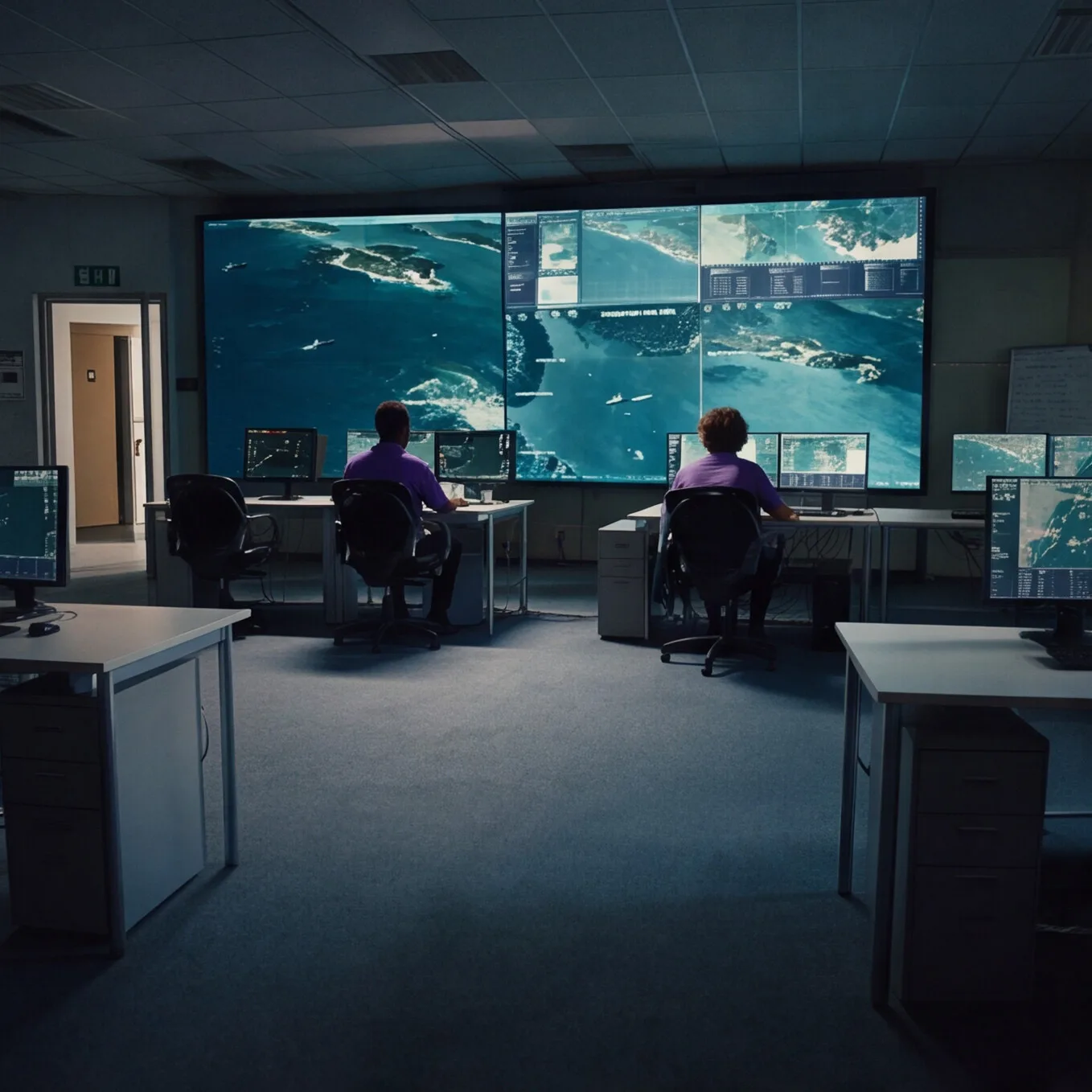
A control room video wall gives the whole shift one shared picture. It's a grid of displays that a processor runs as one canvas. Camera feeds from a video management system, dashboards, maps and computer screens all feed that processor. It can put a single source on the full wall for a press briefing, run a quad-window layout for normal operations or a twelve-window grid for a major incident. Saved presets per shift, per incident class and per time of day make each change one tap.
Start with what operators need to read
An operator who can't read a feed from the console has to lean in, zoom or ask. Image size decides that. AVIXA, the audiovisual industry's trade association, publishes a standard on image size, ANSI/AVIXA V202.01, known as DISCAS.
DISCAS sorts viewing into two categories. In Basic Decision Making, viewers act on the content itself, as with information displays and presentations. In Analytical Decision Making, viewers study fine detail to make critical decisions. AVIXA's examples include medical imaging, engineering drawings, forensic evidence and image inspection. The analytical category demands a 50:1 minimum contrast ratio against 15:1, plus controlled light with nothing shining directly on the screen.
Most operations centers show both. A status dashboard read at a glance may fit the basic category. A camera feed an operator studies for detail looks more like the analytical one. The farthest operator who has to read a source sets how big its window must be.
Lay out the operator consoles and sight lines
Sight lines decide how much leaning and head-turning an operator does over a long shift. ISO 11064 is the international series on ergonomic design of control centres. Part 3 covers control room layout. Part 4 covers the layout and dimensions of control centre workstations. ISO says it applies mainly to seated workstations built around visual displays, in settings such as transportation control, process control and security installations. Ask any designer how screen, consoles and sight lines fit together, and which parts of the series the plan follows.
Then sit at each console during the busiest shift and look for obstructions and glare. A window nobody can read from their seat is wasted resolution. That's why we watch a shift before we spec a wall. We sit with operators, dispatch leads and IT security, document the actual workflow and map every source the wall must show. Then we model glare and ambient light and match pixel pitch to operator viewing distance.
LCD, LED or projection: choosing control room display technology
The right display keeps the picture readable through every shift. With manageable light, your content map settles most of the choice between LCD tiles and direct view LED. Older facilities may also have an aging projection wall.
Whatever you pick, buy commercial displays rated for your hours. A consumer set is built to run 8 to 12 hours a day. Commercial panels are designed for 16 to 24 hours of daily operation, and a room that never closes needs 24/7-rated panels.
LCD video walls
LCD walls are grids of 55- and 65-inch tiles, practical up to about a 10-by-10 grid. We recommend them for budget-constrained smaller rooms, duty cycles under 16 hours a day and highly controlled lighting, like a dedicated dispatch room with no windows. They fit best under about six panels, where operators can live with the bezel grid. Ask your designer whether any map or dashboard will span tiles, since bezels cross it. Then ask how the panels handle a dashboard parked in one spot for months.
Direct view LED video walls
Direct view LED has no bezels, so the image reads as one continuous screen. We install it at pitches as fine as 0.9mm for operators sitting close. We recommend LED when continuous situational awareness matters more than absolute pixel density, when ambient light varies with windows or glass walls, for 24/7 operation and for walls larger than about six panels, where a bezel grid would interrupt operator focus. About 70% of our recent control room deployments are LED and 30% LCD.
LED modules do fail, so we design with hot-swap modules. We also source every panel from one production batch and keep batch-matched spares from that run, labeled by project, so a replacement matches the rest of the wall.
Whichever you choose, we calibrate color and align bezels at commissioning, then schedule an annual calibration so the wall doesn't drift.
Replacing a projection video wall
Plenty of command centers still run projection walls. When one reaches end of life, treat the replacement as a new design. Redo the content map and seat check, since the sources have probably changed. Photograph the layouts operators favor on a busy shift. Then confirm the structure, power and network the incoming display needs. Your VMS, CAD and dispatch platforms will change over the new wall's 10-year lifecycle, so plan the source architecture to outlast them.
Plan the video wall processor and controls around the shift
During an incident, every second spent changing the layout comes out of the response. The video wall processor, also called a controller, maps every source across the canvas, whether that's one feed full screen or a dozen windows. Count today's sources and the ones you expect in five years. Then decide who changes layouts and from where. We integrate KVM (keyboard, video and mouse) platforms so a single operator can control any source on the wall and route any other source to their workstation without leaving their chair.
Put four processor questions in the RFP. Which input types does it accept? Can it pull IP camera streams directly? What wall-management software will operators use to save and recall layouts? Does it lock you to one VMS or dispatch platform? We design open architecture that works with your VMS, CAD, SCADA and GIS platforms, using standard signal types and documented integrations.
A canvas nobody can drive ends up stuck on one layout. We build one AV control system interface that runs every display, source and layout, with saved presets per shift and incident class, and it has to pass a ten-second operator test before sign-off.
Bring IT in before the rack is built
Fewer IT tickets start before install day. The wall lives on your network, and AV gear isn't a typical IT endpoint. It needs a dedicated VLAN so control traffic doesn't compete with office traffic, plus specific port configurations and documented IP assignments. Quality-of-service rules should put audio and video streams first, and static IP reservations keep every device where IT expects it.
We bring a network requirements document for your IT team and partner with them on the AV VLAN. We program the system in our shop against that plan, so it already speaks your network on install day.
At commissioning you get the full documentation hand-off: signal flow, source routing matrix, panel addressing, network architecture and controller configurations. Your IT team can troubleshoot from it without guessing.
Redundancy, testing and what done looks like
Operators need the picture to stay up when one part fails. A single-point failure blacks out the wall at the worst possible moment, so we design N+1 redundancy on power, signal and processor paths. That means redundant sending and receiving cards, redundant power feeds per panel and hot-swap modules.
We rack, wire and program the whole system in-house and test every path before it ships, so surprises happen in our shop instead of on your floor.
On site, done means each item on the commissioning checklist passes:
- Color calibration and bezel alignment across every panel
- Source routing programmed and every saved preset tested against the live system
- KVM integration verified from each operator position
- The system verified on the agreed VLAN, with static IP reservations confirmed
- Fail-over tested on every redundant path
- Operator runbook and the full documentation hand-off delivered
How to write a control room video wall RFP
A procurement officer needs a bid they can defend to oversight. Government jobs and plenty of enterprise projects go out to bid. A bid spec is only as good as whoever wrote it. We sell the full engineering package on its own, as detailed as the one we'd build for a paying client. You can bid it to as many vendors as you like.
If you want to buy a full engineering package from us, we can absolutely sell it to you… We, of course, would like a chance to bid ourselves.
Crunchy Tech Sales Team
We can work to a fixed bid too, though we recommend design-build for a control room. Fixed bid is fast, but assumptions are expensive.
Our design work starts with two phases. Phase 1 buys clarity. Phase 2 buys certainty. In Phase 1 we study the room and a shift, then show you a visualization of the finished wall before you buy equipment. Phase 2 delivers the full engineering package, including pixel pitch math, panel and controller specs, structural mounting drawings, a network requirements document and a phased proposal with clear options.
After that, one partner owns the build, programming, commissioning and support. Your team gets one point of accountability, one set of documents and a lifecycle plan that holds up through budget cycles.
A strong control room RFP covers these points:
- Content map. Every source, basic or analytical, with its longest viewing distance.
- Space conditions. Windows, glare and console layout.
- Duty cycle. Daily hours and the matching display rating.
- Layouts and control. The views operators use, who changes them from where and the three processor questions.
- Network. Who provides the AV VLAN, ports and IP plan.
- Redundancy and acceptance. What must survive one failure, and how commissioning proves it.
- Compliance. TAA-compliant or no-wireless gear and documentation standards, if required.
- Handoff and support. Runbook, documentation, monitoring, response terms, calibration schedule and spares.
If a government job calls for TAA-compliant gear, it goes into our bid. We engineer the structural backer, mounting framework and power conditioning, and on new construction our engineering set goes into the GC's permit submission.
Support after go-live: who answers when something breaks
Installation is the beginning, not the end. Control rooms run nights and weekends, so press every vendor for a straight answer. Here's ours.
Our control room support runs 24/7, with SLA-backed response set by your operational tier. We monitor uptime, color drift and module health remotely, so many problems get caught before an operator notices them.
Scheduled work keeps the wall honest over its lifecycle. That includes annual calibration, annual failover drills and batch-matched spare replacement when a module fails. Get the response terms for your tier in writing, from us or any vendor.
Our commercial video wall buyer's guide digs deeper into budget and installer choice.
Running more than one operations center
Matching sites mean fewer surprises for operators and IT. Our standardization playbook comes from multi-location rollouts, and it carries over if you run several operations centers. With the same controllers and interface at each site, staff who move between sites already know the system.
Why Crunchy for a control room
Each vendor question above, matched to how we answer it. Our control room video wall page goes deeper on each one.
- Content map and space. We watch a shift, then show you a visualization of the finished wall before you buy and deliver the full engineering package.
- Build quality. Systems racked, wired and programmed in our shop, with every path tested before it ships.
- Network. A network requirements document for your IT team and a dedicated AV VLAN with QoS and static IP reservations.
- Redundancy and acceptance. N+1 on power, signal and processor paths, tested at commissioning and drilled every year.
- Control. KVM integration and open architecture that works with your VMS, CAD, SCADA and GIS platforms.
- Support. 24/7 support with SLA-backed response, remote monitoring and batch-matched spares.
Where to start: schedule a site assessment
It starts with a call about your sources, shifts and timeline. Then we come walk the room and study a shift with your operators. You'll get a proposal in Good, Better and Best tiers before you commit to a single panel. We design, install and support video walls along with the audio, control and low voltage lighting around them, for government and corporate operations alike. Schedule a site assessment.